
Do you want to be served personalized ads on Google?
Some people want to get served personalized ads -since they are getting served ads anyway, but people who guard their privacy more can turn it off!
Steps to customizing your Google ad settings
Step 1: Go to https://adssettings.google.com/
If you want to be served personalized ads – turn it on; else just turn it off.
I’m personally ok to get personalized ads, so I leave it on.
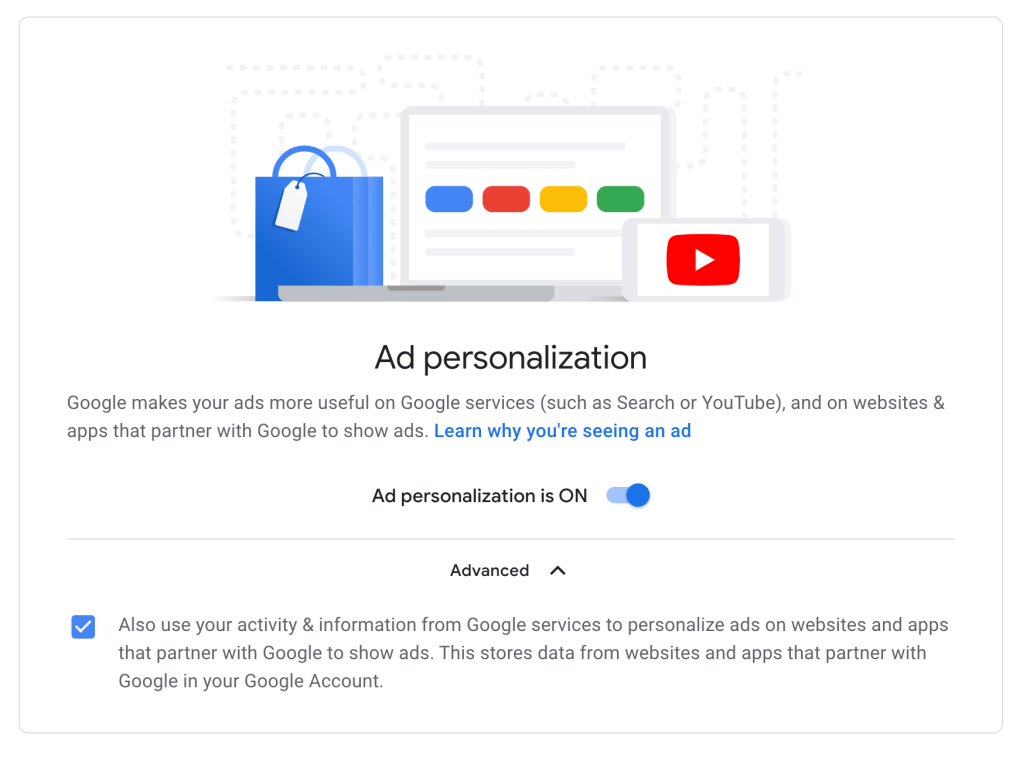
Step 2: Specific Ads Settings on Google can be toggled on and off
Google adds in topics or profiles about us and lists them in the next part, and I must say they are pretty accurate! I have done some Google Surveys myself so this is probably where they got some demographic profile such as age and marital status.
This list is also compiled from our search queries, app installs & opens on our phone, and website visits.

You can turn off any category or topic in the list if you do not deem fit by clicking on the icon and then click on “Turn off” so that ads related to those will not be served to you anymore. Voila – it is that simple!

In the next section on Youtube, they also have a feature for you to allow or disallow ads on sensitive topics to be served.
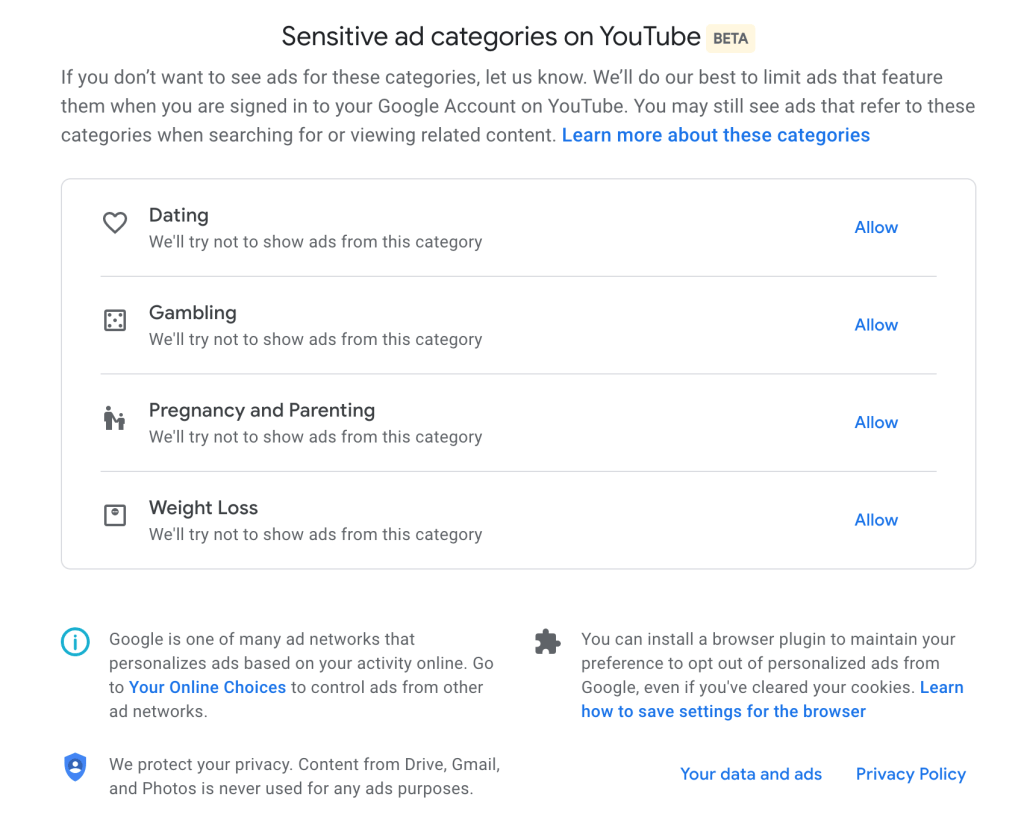
It is nice to see big tech companies making it easier to control our information that they can use and I am sure it will continue to evolve and get better.
Next time, we will see how to do the same on Facebook!

You must be logged in to post a comment.